n8n Pricing vs Zapier vs Make: What You're Billed Per
n8n bills executions, Make bills operations, Zapier bills tasks. Real 2026 pricing, the worked math, and the self-host line where the price collapses to zero.
The verdict. There is no single “best” of the three, because they don’t sell the same thing. n8n sells you an execution; Make sells you operations; Zapier sells you tasks. If your automations are short and low-volume and you want them running in an afternoon, Make is the cheapest door in and the least technical. If your automations are long, multi-step, and heading toward real volume, n8n wins on cost by a wide margin, and self-hosting it collapses the price to whatever your server already costs. Zapier is the one to pick when the 9,000-app integration library and the “it just works, I’m not touching it” factor are worth the premium. The mistake is comparing the sticker price on each landing page, which are not the same unit.
This is a Workflow Decision Lab piece, not a “Zapier vs Make vs n8n. 10 Best Automation Tools” list. You already know all three exist. What you probably don’t know is that the three are billing you for three different things, and that single fact decides most of the decision before any feature table does.
Proof status. Prices below are quoted from each vendor’s own pricing page as of 21 August 2026 and linked at every figure. Where a number depends on how you use the tool, it’s a worked example with the assumptions shown, replace them with your own. Vendor pricing changes often; re-run the links before you commit a year.
1. The operator
You’re a solo founder or a small team running a micro-SaaS. You have maybe twenty to forty automations: new-signup → welcome sequence → CRM update → Slack ping; invoice paid → ledger row → customer email; a lead from the site → dedupe → route to the right person. Some are two steps. Some are ten. You’re currently on Zapier because it was the default when you started, and the bill went from “$19, that’s nothing” to “wait, why is this $300 this month,” or you’re trying to pick a platform before you build and you want to not pick wrong.
That’s the whole situation. You don’t need more features. You need to know what you’re actually being charged for, and where the line is where paying-per-unit stops making sense.
2. The thing nobody puts on the pricing page: the units are different
Strip the feature tables away and the platforms differ in one structural way that the comparison posts almost always skip:
| Platform | The billable unit | What counts |
|---|---|---|
| n8n | Execution | One full workflow run from trigger to end. Steps within a run are unlimited. |
| Make | Operation (credit) | Each app action — one Gmail send, one sheet row — is one credit. |
| Zapier | Task | Each successful step in a Zap is one task. (Triggers, filtering, and built-in tools are free; AI and code steps cost more than one.) |
That one row is the entire decision, so let’s be precise, because it’s where the money is.
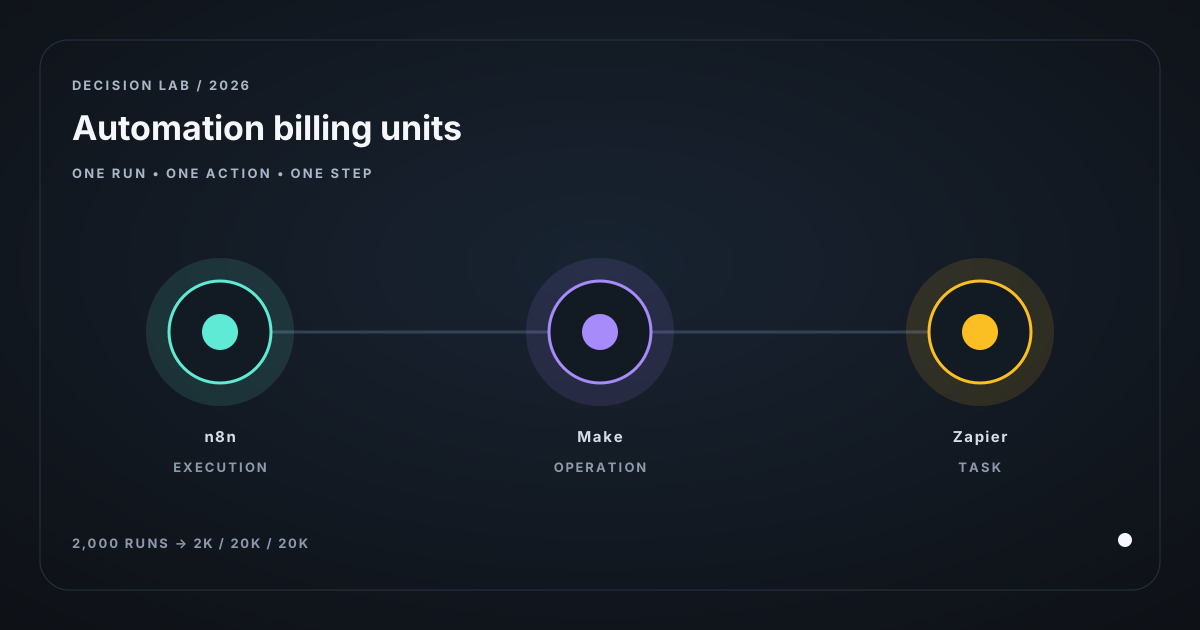
- A ten-step workflow that runs 2,000 times a month is:
- 1 × 2,000 executions on n8n
- ~10 × 2,000 = 20,000 operations on Make
- ~10 × 2,000 = 20,000 tasks on Zapier
Same work. Three different meters. On n8n the number of steps is invisible to the invoice; on Make and Zapier every extra step you add is another unit you’re buying.
Why this matters more than “which is cheaper.” If your automations are short (a two- or three-step Zap is the classic case), the unit gap barely shows. A 2-step workflow is 1 execution / 2 operations / 2 tasks; nearly the same. The gap only becomes the story when workflows get long and volume gets real. Most “which tool” posts never get to that paragraph, because it’s the one that breaks the vendor’s landing-page math.
3. The prices (as of 21 Aug 2026, from each vendor’s page)
n8n (n8n.io/pricing), cloud, billed annually, per execution:
- Starter €20/mo, 2,500 executions/mo, unlimited steps
- Pro €50/mo, 10,000 executions/mo, unlimited steps
- Business €667/mo, 40,000 executions/mo (self-hostable; adds SSO, environments, Git)
- Enterprise, custom
- Community Edition. Self-hosted, open source, no per-execution fee (GitHub). You pay for the server.
Make (make.com/pricing), per operation (credit), 10k-credit tier shown, billed annually:
- Free $0, 1,000 credits/mo, 15-minute minimum interval
- Core $9/mo, 10,000 credits/mo
- Pro $16/mo, 10,000 credits/mo (priority execution, full-text log search)
- Teams $29/mo, 10,000 credits/mo (team roles, shared templates)
- Enterprise, custom
- Higher credit tiers (20k, 40k, 80k…) scale the same way, ~15%+ off paying annually.
Zapier (zapier.com/pricing), per task, Pro plan, billed annually:
- Free $0, 100 tasks/mo, two-step Zaps only
- Pro $19.99/mo, 750 tasks
- Pro $39/mo, 1,500 tasks
- Pro $49/mo, 2,000 tasks
- Pro $129/mo, 10,000 tasks
- Pro $189/mo, 20,000 tasks
- Team plan starts at 2,000 tasks ($69/mo); monthly billing is ~50% higher than annual.
4. The worked math (this is the section that decides it)
Assumptions. Replace with your own numbers; these are labels, not measurements. Your 2,000 executions/month break down as: ten 2-step “connect the dots” workflows and four 8-step “the whole pipeline” workflows, so average ~4.2 steps each → ~8,400 units/month of actual work (2,000 × 4.2).
| Platform | What you’re buying | Plan | Monthly cost | Cost per unit of work |
|---|---|---|---|---|
| n8n cloud | 2,000 executions | Pro (10k execs) | €50 (~$55) | ~$0.0065 / execution |
| Make | ~8,400 operations | Core (10k credits) | $9 | ~$0.0011 / operation |
| Zapier | ~8,400 tasks | Pro (10k tasks) | $129 | ~$0.015 / task |
Read that carefully, because it looks wrong at first glance:
- Make looks cheapest per unit and per month at this scale. That’s because a 10k-credit tier is a lot of headroom for a solo builder, and $9 buys it. This is Make’s real sweet spot: short automations, modest volume, not ready to babysit a server.
- n8n looks expensive per execution but cheap per workflow, because you bought unlimited steps. The 10k-execution tier has 5× headroom over your 2,000. And the moment you self-host, the per-execution line goes to zero and your cost is just the server (often a box you already run).
- Zapier is the most expensive here because you pay per step and the per-task price climbs steeply as volume climbs. It’s not a bad product. It’s the premium product. You’re paying for the 9,000-app library, the polish, and not thinking about it.
The self-host line. This is the one the comparison posts blur. Self-hosted n8n Community Edition has no per-execution fee at all. If you’re on a VPS you already pay ~$5–20/mo for, your marginal automation cost is roughly zero. The same server that runs your app can run your workflows. What you’re actually paying for is your time: updates, secrets, retries, monitoring, and being the on-call person when a workflow silently stops at 2am. The honest crossover is not a number of executions; it’s whether you’re willing to be the operator of a small always-on system. If yes, self-hosted n8n is almost always the cheapest answer by an order of magnitude at any non-trivial volume. If no, then it’s a cloud-vs-cloud question between n8n Pro and Make, and Make is the cheaper entry while n8n is the cheaper path at multi-step scale.
5. Where it fails (the part the comparison posts skip)
- You budgeted by step count and got billed by the other meter. The most common surprise: someone migrates off Zapier to “save money,” counts their steps, and finds Make is cheaper, but their workflows are long, so the per-operation math flips back in Zapier’s favor at the volume they actually have. Count your real units for a month before you commit.
- Self-hosted n8n is a product and an ops job. “Free” is true only if you keep it running. A missed Docker update, a dead webhook secret, or a queue that backs up under a spike is now your incident, not a vendor’s status page. If the automation is load-bearing for revenue, price in the on-call cost, not just the license.
- AI steps wreck the comparison. Every platform bolted on AI in the last year, and AI steps are billed separately and more expensively: Zapier charges by model tier, Make by credit or your own key, n8n via bundled cloud credits or your own code step. The instant your workflow is 50% LLM calls, the model tokens dominate the platform fee and “which platform” becomes a rounding error. Budget the model cost on its own line.
- The integration library is a moat and a cage. Zapier’s 9,000 apps is the reason people start there. The moment you need an app only Zapier touches, you can’t leave without rewriting the whole flow in code. Check the specific apps you need on the platform you’re considering before you migrate. A “cheaper” platform that doesn’t talk to your CRM is more expensive, not less.
6. When NOT to pick a paid platform at all
Skip the subscription and do one of these instead if any is true:
- You have fewer than ~200 meaningful actions a month. That’s the Zapier free tier / Make free tier territory. You don’t need a paid plan; you need to stop paying $0 for it.
- Your “automation” is really one recurring thing. If it’s “move these rows and email that person weekly,” a 30-line script on a cron, or a single n8n node on the free community instance, is a weekend, and it’s done forever.
- The real problem is data you don’t have. If the workflow keeps breaking because the upstream app doesn’t expose the field, no platform fixes it. Fix the source first.
7. The 30-day test (how you’ll know it was the right call)
Don’t ask “do I like the new tool.” Run one month and look at four numbers:
- Units consumed vs. plan allowance. Did you actually need the tier you bought, or are you 70% unused? (This is the one that kills overpaying Zapier plans.)
- Total monthly cost including AI/model spend. Platform fee plus tokens. Not just the sticker.
- Workflows that failed or silently stopped, and how long before you caught it. This is the self-host vs. cloud number: on cloud it’s a vendor alert; on self-host it’s how long you went dark.
- Minutes you spent maintaining it. Updates, broken integrations, debugging. Multiply by an honest hourly rate and add it to the invoice. This is the number self-hosting hides.
Keep the platform if (1) you’re using most of what you bought, (3) failures were rare and fast to catch, and (4) your maintenance time is near zero. If (1) shows you over-bought, drop a tier. If (4) is eating your week, you bought the wrong trade-off, move to the more-managed option even if it costs more, and re-run this in a quarter.
Bottom line
The three tools aren’t three versions of the same product. n8n bills the run, Make bills the action, Zapier bills the step. So the decision isn’t feature-by-feature; it’s: how long are your workflows, how much volume do you actually have, and how much do you want to operate the thing yourself? Short and light and you don’t want to think → Make. Long and scaling and you’ll run the box → n8n, self-hosted. You want the biggest app library and to never touch it → Zapier, at its premium. And in every case, count your real units for a month before you sign anything. The landing-page price is a unit, and three of them are three different units.
More on this decision, three ways to look at it:
Related posts
SEO Client Reporting: The $0 Version Before You Buy
Client reporting for agencies: the free Looker Studio floor, the per-client math on paid tools, and why fixing inconsistent inputs beats any AI commentary.
Are Google's 'Leaked' AI Ranking Signals Testable?
An operator audit of the viral '7 leaked Google ranking signals': which are documented, which are console labels, and which you can actually test.
Fix Broken Tool Calls in vLLM, SGLang and llama.cpp
Malformed JSON, stalled generation, hard crashes. Three causes across four engines, an ordered bisect costing one restart each, and the 21 issues behind them.
Get the next verdict before it's everywhere.
One email when a new lab post or cost table ships. No spam, no confirmation step — unsubscribe anytime.